Photo Tool
COLIFER LAB
-
Installs
10M+
-
Developer
COLIFER LAB
-
Category
Video Players & Editors
-
Content Rating
Rated for 3+
-
Developer Email
-
Privacy Policy
https://www.colifer.vip/pt/pp.html
Screenshots


Expert Review
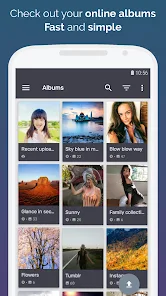
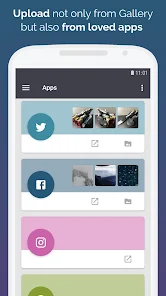
Photo Tool by COLIFER LAB is a photo editing app that dives right into providing users with an expansive creative space. As soon as you open the app, you’re welcomed with a streamlined login process allowing for Google or Apple account integrations, which is as effortless as a single tap. The homepage feels like you’ve stepped into a modern photo studio, complete with a chic gallery display that showcases your latest projects. They make it super simple to upload new photos with a sprawling “+” button that gleams invitingly from the center of the navigation bar. The first thing that catches your eye is the color-coded toolbar, designed to help you navigate the app with effortless ease. You’ll find it intuitive, whether you’re a first-timer or a seasoned editing pro. By the time you’ve scrolled through the initial setup, you’re already chomping at the bit to dive into your creative designs.
The heart of Photo Tool lies in its arsenal of editing features, and trust me, it's an absolute treasure trove. The interface is tap-heavy, offering a satisfying tactile experience as you delve into the editing suite. Swipe across your screen to toggle effects or zoom into the minute details of your photos by pinching. Imagine layering filters, popping colors, and adjusting contrasts all at your fingertips. One standout moment is the app's ambient automatic lighting adjuster that subtly transforms your image with a single tap—perfect for those times when you’re trying to salvage a photo taken in poor lighting. Voice commands are even built-in for hands-free control, and there’s this hidden gem where if you tap three times on the left corner, it opens up a creative theme pack mixing existing settings in fresh ways. It’s all about enhancing your workflow while encouraging creative freedom.
Compared to other editing powerhouses in the app world, Photo Tool stands out with its simplicity and flair. Unlike some apps which bombard you with feature overload, COLIFER LAB has cleverly curated the essentials without skimping on creativity. Imagine being able to achieve professional-level edits without having to wrestle with overly complex software. While other apps might focus on a predictable grid-style layout, Photo Tool enhances your editing journey by making it more interactive and engaging, like a friendly guide on your creative adventure. In a world of cluttered and convoluted photo editors, Photo Tool feels refreshingly straightforward, proving that sometimes, less truly is more.
Key Functional Highlights
- Layering Filters 🎨: Easily overlay multiple filters to create unique effects without any hassle. You can experiment endlessly and see instant previews to find the perfect look.
- Voice Command Editing 🎙️: Hands-free convenience that lets you execute commands like "adjust brightness" or "apply sepia tone" simply by speaking.
- Ambient Lighting Adjuster 🌟: A one-tap tool that auto-adjusts lighting, turning dim or shadowed images into clear, polished photos.
- Advanced Zoom 🧐: Zoom in to immaculate detail without losing resolution, allowing for precise edits in even the tiniest pixels.
- Creative Theme Packs 🎉: Access quirky themes by tapping the left corner three times, which gives a new twist to existing editing presets.
Advantages & Benefits
- User-Friendly Interface 😄: Everything is right where you need it, making navigation straightforward and allowing you to focus on creativity rather than figuring out how things work.
- Feature Variety 🎨: A treasure trove of customization tools without being overwhelming, from filters and effects to zoom and lighting, inviting you to explore and experiment.
- Hands-Free Editing 🎙️: The voice command feature feels ahead of its time, streamlining the editing process by using simple verbal instructions to tweak your images on the go.
Areas for Improvement
- Feature Discovery 📚: While the app has great features, finding the hidden ones can feel like a scavenger hunt. A more structured guide could help users maximize the app’s potential.
- Occasional Lag 🚶♂️: On older devices, some functions take a moment longer to load, which might test your patience if you're working in a rush.
- Limited Free Options 💸: While the free version is functional, it occasionally nudges you towards premium upgrades for more advanced features, which could be a hurdle for casual users.
Recommended Apps
-
![]()
GRUBL™ 4D Live Wallpapers + AI
TarrySoft4.6


-
![]()
Face Live Camera: Face Filters
Lyrebird Studio4.1 -
![]()
BFF Friendship Test
DH3 Games4.3 -
![]()
ZEDGE™ Wallpapers & Ringtones
Zedge4.5
-
![]()
DogTok - Dog Translator
Ai Apps SRL3.1 -
![]()
Instagram
Instagram3.9
-
![]()
Colliz - DIY Wallpaper Craft
Braly JSC2.9
-
![]()
Walli - HD, 4K Wallpapers
Tap AI4.4 -
![]()
Kpop Demon Draw and Coloring
Youssoft LTD0 -
![]()
Skins Clothes Maker for Roblox
Pixelvoid Games Ltd4 -
![]()
Name Meanings with Impact
Alif Innovative Solution3.7
-
![]()
Monster Detector: Alien, Ghost
Game Palette3.8
-
![]()
FestAI: Ghost Detector App
Now Tech3.2 -
![]()
Video Live Wallpaper Maker
ZipoApps4.5
-
![]()
Secret Crush Detector App
Hopeitz Software4.8












You May Like
-
![]()
Ghost Detector Real Life Radar
Spot Among Party4.3 -
![]()
Tubi: Free Movies & Live TV
Tubi TV4.7
-
![]()
Heaven: Gay & LGBT+ Dating
Paradiz Social Ltd3.2 -
![]()
Skin Editor 3D for Minecraft
Remoro Studios4.4 -
![]()
Themepack - App Icons, Widgets
YoloTech4.8
-
![]()
Prank Call - Fake Call & Chat
Bravestars Casual4.1 -
![]()
Photo Tool
COLIFER LAB4 -
![]()
TikTok
TikTok Pte. Ltd.4.4 -
![]()
Software Update for my phone
Art & Tool Studio4.1 -
![]()
Fontmaker - Font Keyboard App
Sociaaal LLC4.2 -
![]()
Uber - Request a ride
Uber Technologies, Inc.4.5
-
![]()
Daily Diamonds Tips
TECHY BEAST3.7
-
![]()
Nebula: Horoscope & Astrology
OBRIO3.5
-
![]()
Dog & Cat Translator Prank
King Clover Studio0 -
![]()
AgeCam: Face Age Changer App
Fillog Studio3.5













Disclaimer
1.Allofapk does not represent any developer, nor is it the developer of any App or game.
2.Allofapk provide custom reviews of Apps written by our own reviewers, and detailed information of these Apps, such as developer contacts, ratings and screenshots.
3. All trademarks, registered trademarks, product names and company names or logos appearing on the site are the property of their respective owners.
4.Allofapk abides by the federal Digital Millennium Copyright Act (DMCA) by responding to notices of alleged infringement that complies with the DMCA and other applicable laws.
5.If you are the owner or copyright representative and want to delete your information, please contact us [email protected].
6.All the information on this website is strictly observed all the terms and conditions of Google Ads Advertising policies and Google Unwanted Software policy.
7.Allofapk.com is an independent, information-only website which is 100% free to all the users.